Last Updated on May 31, 2026 by admin
Banking has changed dramatically over the past decade. What once required a trip to the bank can now be done in a matter of seconds from your smartphone. Whether you want to check your account balance, transfer money, deposit a check, or pay bills, mobile banking makes managing your finances faster and more convenient than ever.
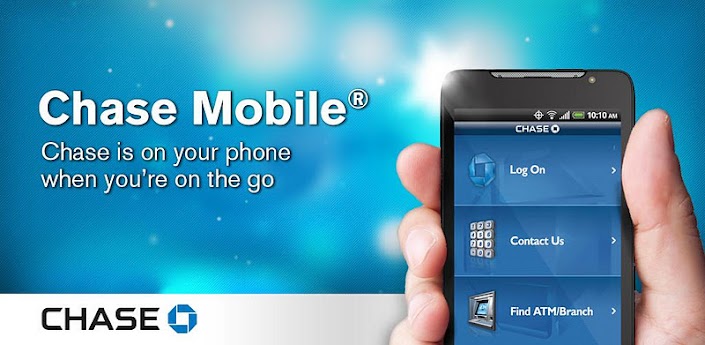
Among the most popular banking apps in the United States is the Chase Mobile® app, offered by Chase Bank. Designed to give customers secure access to their accounts anytime and anywhere, the app combines convenience, security, and powerful financial tools in one easy-to-use platform.
If you’re new to mobile banking or recently became a Chase customer, you may be wondering how to get started. This guide will walk you through everything you need to know about using Chase Mobile Banking, from downloading the app and logging in to making deposits, transferring funds, paying bills, and protecting your account.
Read: The Impact of Artificial Intelligence on Banking
What Is Chase Mobile Banking?
Chase Mobile Banking is a digital banking service that allows customers to access and manage their Chase accounts using a smartphone or tablet.
Instead of visiting a branch or ATM for routine banking tasks, customers can perform many financial activities directly through the mobile app.
With Chase Mobile Banking, you can:
- View account balances
- Review transaction history
- Transfer money between accounts
- Deposit checks remotely
- Pay bills
- Send and receive money
- Manage credit cards
- Set account alerts
- Lock or unlock debit cards
- Monitor spending habits
The app is available for both Android and iPhone users and is designed to provide secure access to your financial information wherever you are.
Benefits of Using Chase Mobile Banking
Many customers rely on mobile banking because it saves time and simplifies money management.
1. Access Your Accounts Anytime
You can check your accounts 24 hours a day, seven days a week, without visiting a branch.
2. Save Time
Tasks that once required paperwork or an in-person visit can now be completed in minutes.
3. Stay Informed
Real-time alerts help you track transactions, deposits, withdrawals, and account activity.
4. Deposit Checks From Home
Using your phone’s camera, you can deposit checks without visiting a bank branch.
5. Improved Financial Management
The app provides insights into spending habits, helping customers better understand their finances.
Getting Started With Chase Mobile Banking
Before using the app, you’ll need a Chase account and online banking access.
If you already have a Chase checking account, savings account, credit card, or loan account, you can use the same login credentials for mobile banking.
Step 1: Download the Chase Mobile App
Begin by downloading the official Chase Mobile app from your device’s app store.
Search for “Chase Mobile” and ensure you’re downloading the official application from Chase.
Once installed, open the app.
Step 2: Sign In or Enroll
If you already have online banking credentials:
- Enter your username.
- Enter your password.
- Complete any security verification steps.
If you’re not yet enrolled in online banking:
- Select the enrollment option.
- Enter your account information.
- Verify your identity.
- Create a username and password.
- Complete the registration process.
After enrollment, you’ll be ready to use the app.
Read:Federal Deposit Insurance Corporation (FDIC): Purpose, Benefits, and Limitations
Understanding the Chase Mobile Dashboard
After logging in, you’ll see your account dashboard.
This screen provides an overview of:
- Checking accounts
- Savings accounts
- Credit cards
- Loans
- Investment accounts
- Recent transactions
The dashboard serves as the main control center for managing your finances.
How to Check Account Balances
One of the most common uses of mobile banking is checking account balances.
To view balances:
- Open the Chase Mobile app.
- Log in securely.
- Select the desired account.
You’ll immediately see:
- Available balance
- Current balance
- Recent transactions
- Pending transactions
This feature helps you stay informed about your financial position at any time.
How to Review Transactions
Monitoring transactions regularly is a smart financial habit.
To view transaction history:
- Select your account.
- Scroll through recent activity.
- Tap individual transactions for details.
You can review:
- Purchases
- Deposits
- ATM withdrawals
- Transfers
- Bill payments
This helps identify errors or unauthorized activity quickly.
Read: History and Origin of Banking in the World
How to Transfer Money Between Accounts
The Chase app makes transferring money simple.
To transfer funds:
- Log in.
- Select “Transfer.”
- Choose the account sending money.
- Choose the receiving account.
- Enter the amount.
- Confirm the transaction.
Transfers between eligible Chase accounts are often completed quickly.
How to Send Money to Other People
Many customers use Chase Mobile Banking to send money to family and friends.
Depending on available services, you can:
- Send money electronically
- Transfer funds to other users
- Make person-to-person payments
Before sending money, verify recipient information carefully.
How to Deposit Checks Using Mobile Deposit
Mobile deposit is one of the most convenient features available.
Instead of visiting a branch, you can deposit checks directly from your smartphone.
Step 1: Endorse the Check
Sign the back of the check and follow any endorsement instructions provided by Chase.
Step 2: Open Mobile Deposit
Log in and select the deposit feature.
Step 3: Take Photos
Use your phone’s camera to capture:
- Front of the check
- Back of the check
Ensure images are clear and readable.
Step 4: Enter Deposit Amount
Input the check amount exactly as written.
Step 5: Submit Deposit
Review the information and submit the deposit.
You’ll receive confirmation once the request has been received.
How to Pay Bills Through Chase Mobile Banking
Paying bills through the app can help simplify monthly finances.
You can:
- Schedule one-time payments
- Set recurring payments
- Track payment history
Common bill payments include:
- Utilities
- Credit cards
- Insurance
- Rent
- Internet services
Automated payments can reduce the risk of missing due dates.
Setting Up Account Alerts
Account alerts help keep you informed about important activity.
Alerts may include:
- Low balance warnings
- Large purchases
- Deposits received
- Payment reminders
- Suspicious account activity
To activate alerts:
- Open settings.
- Select alerts and notifications.
- Choose preferred alert types.
- Confirm notification preferences.
Many users find alerts valuable for preventing overdrafts and detecting fraud.
Read: The 5 Cs of Credit Explained: Meaning, Uses, and Importance
Managing Debit and Credit Cards
The Chase Mobile app provides several card management tools.
Customers can:
- View card transactions
- Report lost cards
- Request replacements
- Lock and unlock cards
- Monitor spending
If you temporarily misplace your card, locking it can help prevent unauthorized use.
Using Budgeting and Spending Tools
Managing money effectively requires understanding where your money goes.
Chase Mobile Banking offers tools that help customers:
- Track spending categories
- Monitor monthly expenses
- Identify spending patterns
- Create financial goals
These features can be particularly useful for budgeting and saving.
Security Features of Chase Mobile Banking
Security is one of the most important aspects of digital banking.
Chase uses multiple layers of protection to safeguard customer information.
Encryption Technology
Data transmitted through the app is encrypted to protect sensitive information.
Multi-Factor Authentication
Additional verification may be required during login or certain transactions.
Biometric Login
Many devices support:
- Fingerprint login
- Facial recognition
These methods provide both security and convenience.
Fraud Monitoring
Chase continuously monitors accounts for suspicious activity.
Secure Notifications
Customers receive alerts regarding unusual transactions or account changes.
Tips for Safe Mobile Banking
While Chase provides strong security protections, customers should also take precautions.
Use Strong Passwords
Create passwords that are unique and difficult to guess.
Avoid Public Wi-Fi
Public networks can increase security risks.
Keep Your Device Updated
Install software updates regularly to improve security.
Monitor Your Accounts Frequently
Review transactions and account activity often.
Enable Alerts
Notifications help identify unusual activity quickly.
Common Problems and Solutions
Forgot Password
Use the password recovery option within the app to reset login credentials.
Mobile Deposit Issues
Ensure:
- Photos are clear
- Check information is visible
- Deposit amount matches the check
Login Problems
Verify:
- Username accuracy
- Password accuracy
- Internet connection stability
App Crashes
Try:
- Updating the app
- Restarting your device
- Reinstalling the application
Read: What’s the Difference between Credit Score vs Credit Rating
Frequently Asked Questions
Is Chase Mobile Banking Free?
The Chase Mobile app is generally free to download and use, though data charges from your mobile provider may apply.
Can I Deposit Checks Using My Phone?
Yes. Eligible customers can deposit checks through the mobile deposit feature.
Is the Chase Mobile App Safe?
Chase uses advanced security measures, including encryption and authentication tools, to help protect customer information.
Can I Transfer Money Between Accounts?
Yes. Customers can transfer funds between eligible accounts directly within the app.
Do I Need Online Banking First?
Yes. You’ll typically need Chase online banking credentials to access mobile banking services.
Final Thoughts
Chase Mobile Banking has transformed the way customers manage their finances. With just a smartphone, you can monitor balances, deposit checks, transfer money, pay bills, manage cards, and track spending without ever visiting a bank branch.
The app is designed to provide both convenience and security, making everyday banking easier for millions of customers. Whether you’re checking your balance during a lunch break, depositing a check from home, or paying a bill while traveling, Chase Mobile Banking gives you the flexibility to manage your money whenever and wherever you need.

Contact: Kokobest04@gmail.com
- Loan Refinancing vs. Debt Consolidation: What Is the Difference? - October 7, 2026
- How business revenue and credit scores affect loan size - October 3, 2026
- Business Line of Credit vs. Term Loan: Understanding the Difference - October 3, 2026