Last Updated on January 9, 2026 by admin
Do you want to manage your finances without ever leaving the comfort of your home? Online banking has become an essential part of modern personal finance, offering easy access and better control over financial activities. National Bank’s online banking platform stands out as a reliable solution for customers who value a user-friendly interface alongside advanced security features.
With National Bank’s online banking, customers can access their accounts from the comfort of their living room, kitchen, or even their garden. Complete your everyday transactions in just a few clicks and stay in full control of your banking experience from one convenient platform
Read: Canadian Imperial Bank of Commerce (CIBC) online banking &Mobile app
What can you do with National Bank’s online banking?
With National Bank’s online banking, you can securely manage your accounts, transfer money, pay bills, and access financial tools anytime, anywhere
Here’s what you can do:
-
Access your accounts anytime, from anywhere
-
Make transfers between accounts or to other recipients
- Send and receive money with Interac e-Transfer®.
- Make international transfers using Mastercard® and Interac®.
-
Pay bills securely online
-
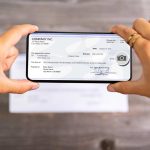
Deposit cheques using your mobile device
-
Contribute to an RRSP or TFSA
-
Buy investment funds and Guaranteed Investment Certificates (GICs)
-
Track transactions and monitor your account activity
- Temporarily block or cancel your debit or credit card
- Manage your mortgage
How to register for National Bank Online Banking
To register for National Bank Online Banking, you’ll need to sign up through their digital platform using your personal and account details.
Here are the details
-
Go to National Bank’s official online banking site and click “Sign up” or “Register” if you haven’t signed in yet.
-
To create your online banking profile, you’ll need information from one of your National Bank financial products — such as your debit card, credit card, loan, mortgage, or investment account.
-
Follow the on-screen instructions to set up your profile:
-
Enter your personal details (name, email, etc.)
-
Create a sign-in email/username and password
-
Confirm your identity using security prompts or codes sent to your phone or email.
-
-
Review and agree to the bank’s terms and conditions for online banking.
-
You may receive a verification code or confirmation email — enter that when prompted to complete your registration.
-
Once registered, you can sign in with your email/username and password from a computer or the National Bank mobile app.
Also read: Bank of Nova Scotia (Scotiabank) online banking and mobile app
National Bank mobile app
The National Bank mobile app lets you manage your finances anytime, anywhere, with features like account monitoring, transfers, bill payments, and even mobile cheque deposits.
What can you do with the National Bank mobile App
With the National Bank Mobile App, you can handle many of your everyday financial tasks quickly and securely right from your phone or tablet. Here’s what you can do:
- Account Management
- Check balances and transaction history in real time.
- Budget and track spending directly from the app.
- Access both personal and business accounts in one place.
- Payments & Transfers
- Send money instantly with Interac e-Transfer®.
- Pay bills securely from your phone.
- Transfer funds between accounts or to other banks.
- Deposits & Cheques
- Deposit cheques remotely using your smartphone camera.
- Manage payroll or supplier payments for business accounts.
- Security & Convenience
- Log in quickly with Touch ID® or Face ID®.
- Notify the bank when you travel to ensure uninterrupted card use.
- Receive alerts and notifications for transactions.
How to register for the National Bank Mobile App, you
To register for the National Bank Mobile App, you need to download the app, provide your account and identity details, and set up secure login credentials. How to Register
-
Download the App from
-
App Store (iOS) or Google Play Store (Android).
-
Then Search for “National Bank” and install the official mobile banking app.
-
-
Open the App and Tap “Sign Up” or “Register” when the app launches (usually shown on the welcome screen).
-
You’ll need details from one of your existing National Bank accounts or products (such as a debit card, credit card, loan, mortgage, or investment account).
-
Enter the requested personal and account information.
-
-
Choose a username/email and password for signing in.
-
You may also be prompted to set up biometric login (fingerprint or face ID) for faster access.
-
-
The app may send you a verification code by text or email.
-
Enter that code when prompted to confirm your identity.
-
-
Review and accept the mobile app’s terms and conditions to complete registration.
-
Once registered, you can sign in anytime using your new credentials.
-
If you set up biometric login, you can use that for quicker access.
-
How to deposit a cheque with the National Bank Canada mobile app
You can deposit a cheque with the National Bank Canada mobile app by taking a photo of the front and back of the cheque and submitting it securely through the app. Here are the steps by step.
-
Launch the National Bank app on your device and sign in with your credentials.
-
Tap “Transfers” at the bottom of the screen, then select “Deposit a cheque.”
-
Type in the total value of the cheque you’re depositing.
-
Follow the on-screen instructions to photograph the front of the cheque.
-
Then take a photo of the back.
The app will guide you to the best results.
-
-
Select which account you want the funds deposited into.
-
Check the details and confirm the deposit. Once submitted, you’ll usually see a confirmation message in the app.
- Hold onto the physical cheque for a few days until the deposit clears.
- After confirmation, you can safely destroy it.
Read: Register for Bank of Montreal Online banking$ mobile app
How to transfer money from National Bank Canada
You can transfer money from National Bank of Canada using three main methods: Interac e‑Transfer®, domestic wire transfers, and international transfers via Mastercard®, Interac®, or SWIFT.
1. Interac e‑Transfer® (Within Canada)
- How it works: Send money instantly using the recipient’s email or mobile number.
- Steps:
- Log in to the National Bank mobile app or online banking.
- Select Interac e‑Transfer®.
- Enter recipient details (name, email/phone).
- Input the amount and security question (if required).
- Confirm and send.
- Limits: Minimum $10, maximum $10,000 per transaction. Multiple transfers allowed daily.
- Processing time: Usually instant, but can take up to 30 minutes.
2. Domestic Wire Transfers (Within Canada)
- How it works: Transfer funds directly between Canadian bank accounts.
- Steps:
- Log in to online banking or visit a branch.
- Provide the recipient’s name, account number, transit number, and routing number (ABA code).
- Confirm the transfer details and fees.
- Fees: Vary depending on the amount and type of transfer.
- Processing time: Same day or 1–2 business days.
3. International Transfers
- Options:
- Mastercard® and Interac® International Transfer: Available to 22 countries including the U.S., UK, Philippines, and EU nations.
- SWIFT Wire Transfer: For destinations outside supported countries.
- Steps:
- Log in to the mobile app or online banking.
- Select International Transfer.
- Choose method (Mastercard/Interac or SWIFT).
- Enter the recipient’s details and amount.
- Confirm and send.
- Limits: $10 minimum, $10,000 maximum per transaction (up to $70,000 daily).
- Processing time: 24–48 hours, up to 5 business days depending on destination
How to pay bills from National Bank Canada
Paying bills from the National Bank of Canada is simple through their online banking or mobile app.
Paying Bills via Mobile App
- Log in to the National Bank mobile app with your credentials.
- From the main menu, select “Pay Bills”.
- Choose your payee (e.g., utility company, credit card, insurance).
- If it’s your first time, you’ll need to add a payee by entering the company name and your account/reference number.
- Enter the payment amount.
- Select the account you want the funds withdrawn from.
- Confirm the payment and submit.
- You’ll receive a confirmation receipt in the app.
Paying Bills via Online Banking
- Log in to National Bank online banking through their website.
- Go to the “Bill Payments” section.
- Add or select a payee.
- Enter the amount and payment date (you can schedule future payments).
- Confirm and submit.
- Save or print the confirmation page for your records.

Contact: Kokobest04@gmail.com
- Loan Refinancing vs. Debt Consolidation: What Is the Difference? - October 7, 2026
- How business revenue and credit scores affect loan size - October 3, 2026
- Business Line of Credit vs. Term Loan: Understanding the Difference - October 3, 2026